Out of stock
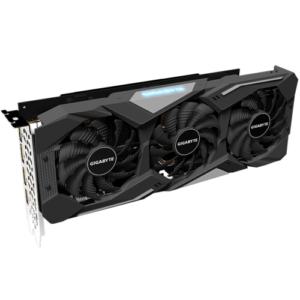
GIGABYTE Radeon™ RX 5700 GAMING OC 8G
₨ 49,000-
Process Technology7 nm
-
Memory Clock14000 MHz
-
Memory Size8 GB
-
Memory TypeGDDR6
-
Memory Bus256 bit
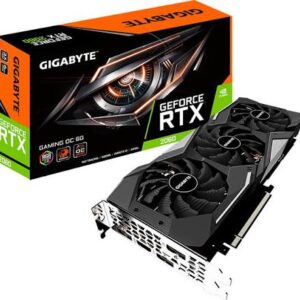
GIGABYTE RTX 2060 6GB TRI FANS
₨ 52,000- KEY PRODUCT FEATURES WINDFORCE 3X Cooling System: Features three 80mm unique blade fans. GIGABYTE utilizes a patented "Alternate Spinning" layout where the middle fan spins counter-clockwise to reduce turbulent airflow and maximize heat dissipation pressure. [1]
- Premium Build: Unlike cheaper dual-fan entry models, the tri-fan Gaming OC variant includes a rigid metal backplate for structural reinforcement and minor rear-side cooling. [1, 2]
- RGB Fusion 2.0: Features customizable RGB lighting on the GIGABYTE logo that can be synchronized via software with other AORUS components. [1]
- Display Connectivity: Typically includes 3x DisplayPort 1.4a and 1x HDMI 2.0b ports
Out of stock

GIGABYTE Z590 GAMING X
Original price was: ₨ 38,000.₨ 36,000Current price is: ₨ 36,000.Intel® Z590 GAMING Motherboard with Direct 12+1 Phases Digital VRM with DrMOS, Full PCIe 4.0* Design, Fully Covered Thermal Design with Integrated IO Armor, PCIe 4.0 M.2 with Thermal Guard, 2.5GbE Gaming LAN, USB 3.2 Gen2 TYPE-C® , RGB FUSION 2.0, Q-Flash Plus
-
Supports 11th and 10th Gen Intel® Core™ Series Processors
-
Dual Channel Non-ECC Unbuffered DDR4, 4 DIMMs
-
Direct 12+1 Phases Digital VRM Solution with 60A DrMOS
-
Shielded Memory Routing for Better Memory Overclocking
-
Fully Covered Thermal Design with High Coverage MOSFET Heatsinks
-
Fast 2.5GbE LAN with Bandwidth Management
-
Triple Ultra-Fast NVMe PCIe 4.0*/3.0 x4 M.2 with Thermal Guards
-
Rear USB 3.2 Gen2 Type-C® and Front USB3.2 Gen1 Type-C® for Connecting Devices
-
Pre-installed IO Shield for Easy and Quick Installation
-
RGB FUSION 2.0 with Multi-Zone Addressable LED Light Show Design, Support Addressable LED & RGB LED Strips
-
Smart Fan 6 Features Multiple Temperature Sensors , Hybrid Fan Headers with FAN STOP
-
Q-Flash Plus Update BIOS without Installing the CPU, Memory and Graphics Card
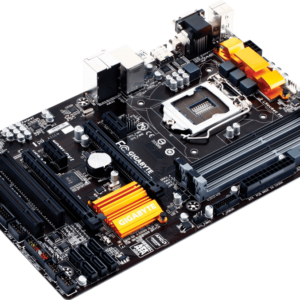
Gigabyte Z97 full ATX
₨ 9,500Core Specifications Shared Across These Boards
- CPU Socket: LGA1150 supporting Intel Haswell and Broadwell (4th and 5th Gen) processors.
- Memory: 4 DIMM slots supporting up to 32GB of dual-channel DDR3 RAM.
- Storage & Expansion: Standard inclusion of SATA 6Gb/s ports, with many models adding M.2 and SATA Express, plus PCIe 3.0 slots for graphics cards
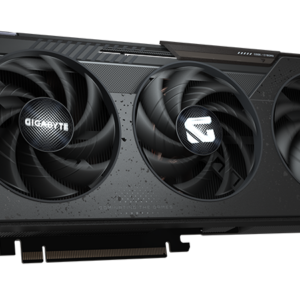
Radeon™ RX 9060 XT GAMING OC 16G
₨ 155,000- Powered by Radeon™ RX 9060 XT
- Integrated with 16GB GDDR6 128bit memory interface
- WINDFORCE cooling system
- Hawk fan
- Server-grade thermal conductive gel
- RGB Lighting
- Reinforced structure
Out of stock
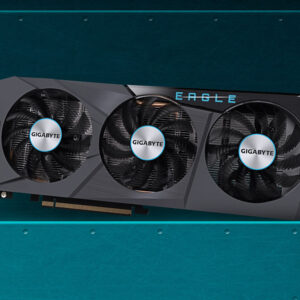
RX6600 GIGABYTE EAGLE
Original price was: ₨ 57,000.₨ 55,000Current price is: ₨ 55,000.- Memory: 8GB GDDR6 with a 128-bit interface.
- Clock Speeds: A base clock of 1626 MHz, a game clock up to 2044 MHz, and a boost clock reaching 2491 MHz.
- Architecture: Built on the 7nm Navi 23 processor, featuring 1792 stream processors and 32MB of AMD Infinity Cache.
- Performance Targets: Specifically engineered for 1080p gaming at ultra-high frame rates, though it can handle 1440p in less demanding titles.